" height="40.0000004693602px" id="JNsUwfViG" width="56px"/></svg>)
[
]
AI Code Generators in 2026:
AI now reads repos, refactors code, writes tests, and spots bugs. This guide shows how it works, where it fails, and five tools to know.
AI Development Tools
AI code generators have evolved from single-line autocomplete to agentic tools that read entire repositories, plan multi-file changes, generate test suites, and execute changes in sandboxed environments, making them a standard layer in modern software engineering workflows.
The three interaction modes that matter are inline completion for flow-state coding, comment-to-code for scaffolding boilerplate, and agentic chat for multi-file changes, with the meaningful differences between tools coming down to repo context depth, multi-file coherence, and what security controls wrap the generation process.
Around 45% of AI-generated snippets contain security issues if not properly audited, not because the model is malicious. Hallucinated dependencies, insecure defaults, and missing input validation are the most common failure modes, making human review gates, dependency scanning, and static analysis non-negotiable regardless of which tool a team uses.
The five tools worth knowing each serve a distinct situation: ORGN for regulated teams needing verifiable security, GitHub Copilot for GitHub-native teams wanting minimal setup friction, Claude Code for deep reasoning on hard problems, Gemini Code Assist for Google Cloud and Android teams, and Amazon Q Developer for AWS-native infrastructure work.
For privacy-conscious developers and regulated enterprises, fintech, healthcare, and defense, the deciding factor isn't which tool generates the fastest suggestions but which one you can actually trust with sensitive code: ORGN is the only option on this list built around TEE-backed execution via Intel TDX, cryptographic proof of execution rather than a policy statement, and user-controlled data persistence where nothing is retained unless the user chooses it.
Code generation was the first thing developers noticed about AI, a ghost text suggestion that completed the line they were already writing. That was useful, but narrow. The tools available today operate at a fundamentally different level: they read entire repositories, understand how components relate to each other across hundreds of files, propose multi-file refactors, generate test suites, and catch security vulnerabilities during authoring rather than after the fact. For most engineering teams, some form of AI code generation has moved from an experiment to a standard part of the workflow.
But the category is fragmented in ways that matter. The difference between a tool that speeds up an individual developer's typing and one that can run governed, sandboxed, auditable workflows across an enterprise codebase isn't a feature gap; it's an architectural one. Choosing the wrong tool doesn't just mean a suboptimal experience; it means security exposure, compliance risk, and productivity gains that evaporate at scale. This article covers how AI code generation actually works, where it genuinely helps and where it creates risk, and a detailed breakdown of the five tools worth knowing, matched to the teams and situations where each one makes sense.
How AI Code Generation Actually Works
AI code generators are built on large language models trained on massive datasets of public source code, documentation, and technical writing. During training, the model learns patterns, how functions are structured, how APIs are called, and how common problems are solved across different languages and frameworks. The result isn't a lookup table of known solutions. It's a model that can predict what useful, contextually appropriate code looks like given a specific situation.
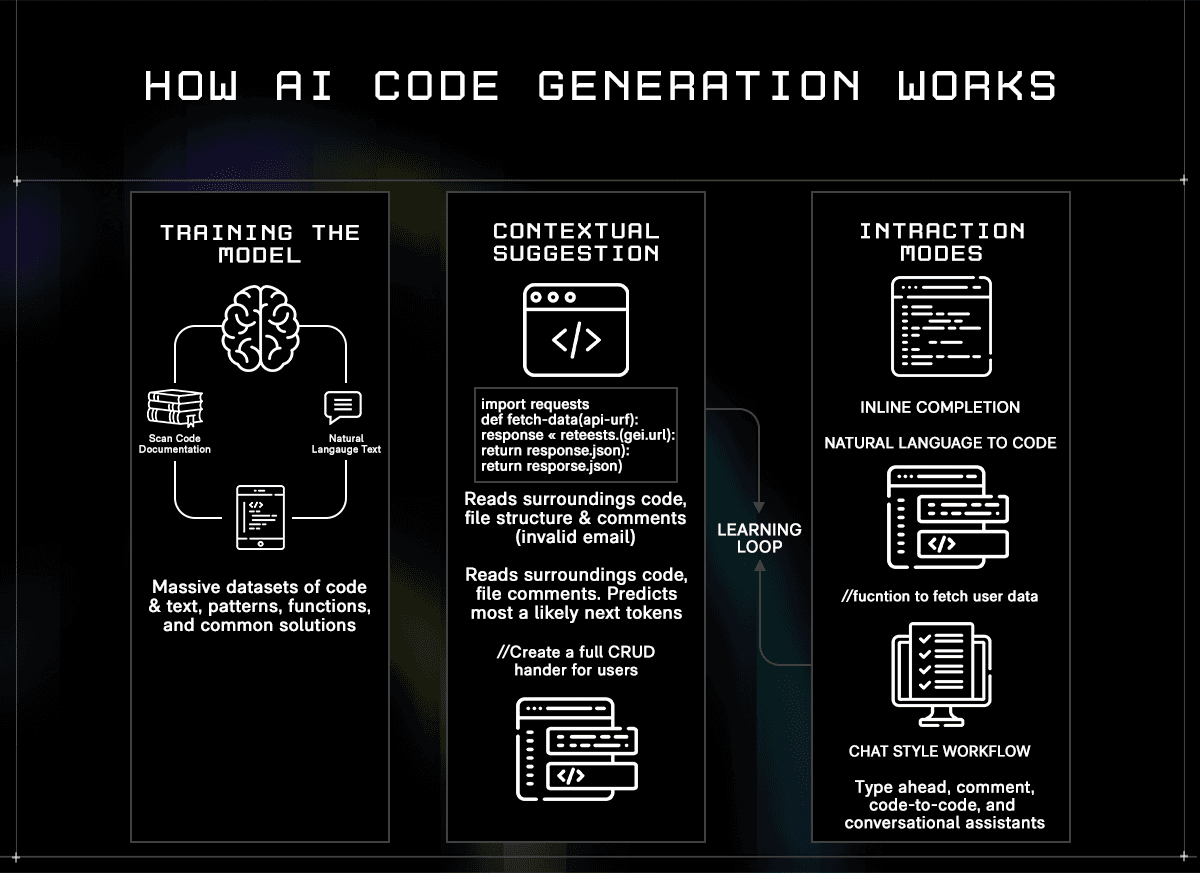
When you open an IDE with an AI assistant active, that prediction happens in real time against your specific project. The model reads the code surrounding your cursor, the file you're in, the files you have open, and, depending on the tool, the broader repository, and uses that context to generate the most likely useful next output. The quality of that output depends heavily on how much context the model can hold and how well it understands the relationships between parts of your codebase.
In practice, developers interact with AI code generators in three distinct ways:
Inline completion: the model watches as you type and surfaces ghost text suggestions, ranging from a single variable name to an entire function body, which you accept or dismiss without breaking flow
Comment-to-code: you write a natural language instruction as a comment, and the model generates a working implementation directly below it, useful for scaffolding boilerplate or translating intent into structure quickly
Agentic chat: a conversational interface where you issue higher-level instructions, and the model plans and executes changes across multiple files simultaneously, often running tests and iterating on failures before surfacing a result for review
To make the difference concrete: inline completion handles calculateTax(subtotal, region) by proposing the full implementation using your existing discount logic and tax tables already in the codebase, not generic placeholder code. Comment-to-code handles // Upload image to S3 and return signed URL with 24hr expiry by generating the full block, AWS SDK imports, try/catch handling, bucket configuration, and the presigned URL call, adapted to the SDK version already in your project. Agentic chat handles "refactor this authentication module to replace session tokens with JWTs" by identifying every route that needs middleware, updating the auth logic, modifying the relevant tests, and flagging downstream services that reference the old token format, all surfaced as a reviewable diff.
Most tools support all three modes. The meaningful differences are how much of the repository the model holds in context, how well it handles multi-file changes without losing coherence, and what security and governance controls wrap the generation process, which matters more as team size and compliance requirements grow.
What AI Code Generators Do Well and Where They Fall Short
AI code generation delivers measurable value across the development lifecycle. Understanding where that value is reliable, and where it isn't, determines how much to trust the output and what guardrails to put around it.
Where they genuinely help:
Faster delivery on repetitive work: boilerplate-like CRUD endpoints, DTOs, config files, and test scaffolds that follow predictable patterns are generated accurately and quickly, freeing developers to focus on the parts that actually require design judgment
Consistent patterns across a codebase: AI generators tend to apply the same conventions across files, reducing style drift between team members and making large codebases easier to navigate and maintain
Faster onboarding to unfamiliar stacks: a developer working in an unfamiliar framework gets idiomatic suggestions grounded in that framework's conventions rather than having to piece together examples from documentation
Better test coverage: generating unit and integration test templates from existing code is one of the highest-value use cases, particularly when teams chronically underinvest in testing due to time pressure
Where they create risk:
Hallucinated and insecure code: models generate syntactically correct code that can invoke non-existent packages, use deprecated APIs, or introduce vulnerabilities such as SQL injection, hardcoded credentials, or missing input validation, without flagging uncertainty. Around 45% of AI-generated snippets contain security issues if not properly audited, not because the model is malicious, but because it optimizes for plausible-looking output rather than secure output
Dependency hallucinations: a particularly dangerous failure mode where the model suggests a package that doesn't exist. Attackers sometimes register malicious packages under those exact names on npm or PyPI, knowing automated agents may install them without verification
Prompt injection: malicious instructions embedded in a file, comment, or external input can cause an agentic tool to execute unintended actions, including leaking project secrets or bypassing security middleware. This risk scales with how much autonomy the agent has
Compliance gaps: AI-generated changes that skip human review, automated scans, and test validation fail audit requirements in regulated industries, regardless of whether the code itself is functionally correct
The practical implication is that AI code generators work best when treated as a fast, knowledgeable collaborator whose output still requires review, not as a source of production-ready code that can be merged without scrutiny. The teams that get the most from these tools are the ones that pair AI generation with mandatory human-review gates, automated security scanning, and clear policies on what the AI is and isn't permitted to touch.
The 5 AI Code Generators Worth Knowing
1. ORGN: Secure, Verifiable AI Code Generation for Regulated Teams

Most AI code generators are built around a single premise: making developers faster. ORGN is built around a different one, making AI-assisted development verifiable. It's a Confidential Development Environment (CDE) and an Agentic Development Environment (ADE) designed for teams where sending proprietary code to third-party models without isolation or proof of execution isn't an acceptable trade-off. Every other tool on this list asks you to trust their infrastructure. ORGN lets you verify it.
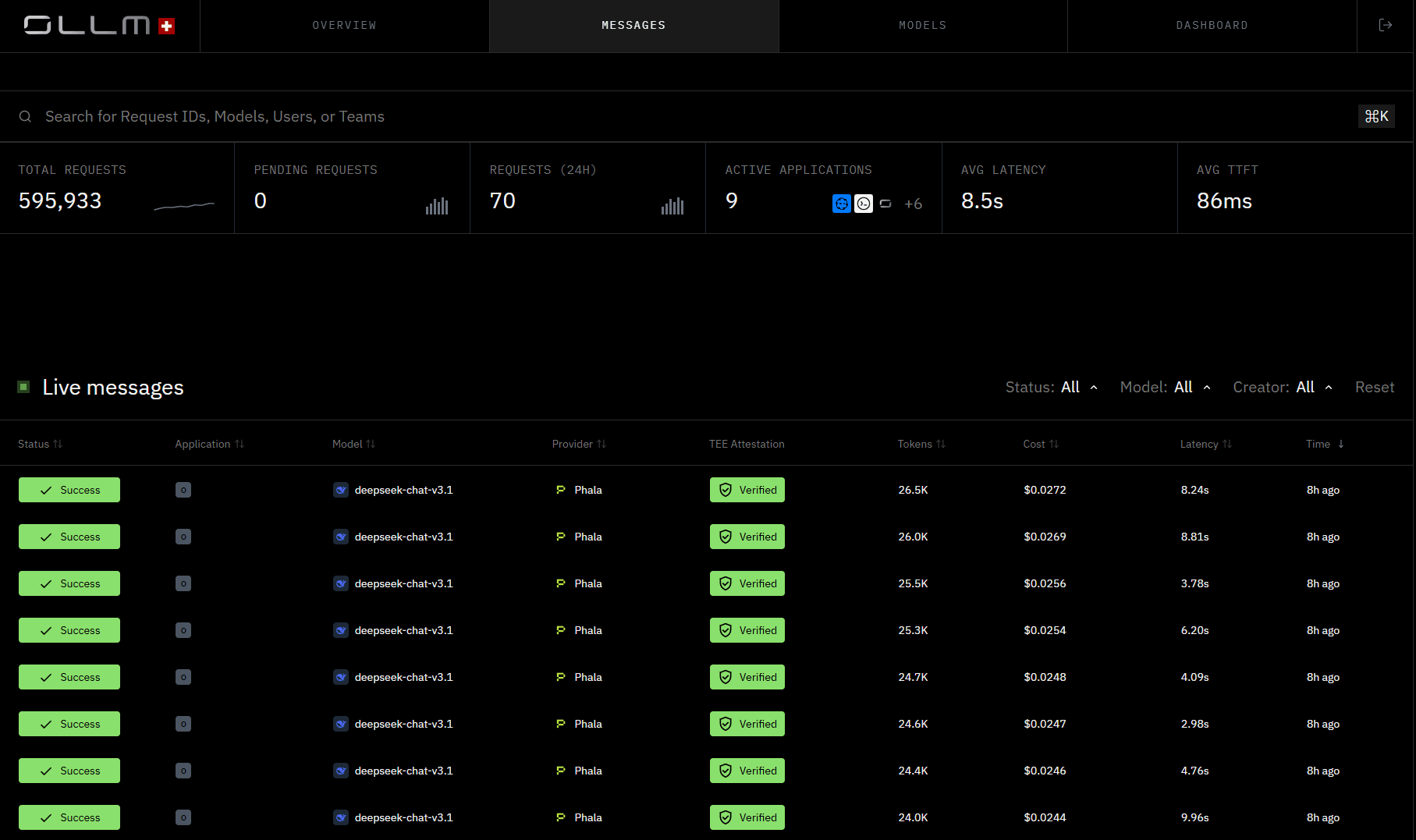
A practical example of where ORGN earns its place: a fintech team needs to refactor its KYC verification module, which touches customer identity data, third-party verification APIs, and audit-sensitive transaction records. In ORGN, the agent operates within a TDX-encrypted sandbox, reads the relevant files, proposes changes across multiple services, runs the test suite in an isolated Trial, and surfaces a pull request for human review. Nothing merges until a developer approves it. For the compliance team asking "how was this code produced, and where was it processed?", the attestation record from the OLLM console provides a cryptographic answer rather than a vendor promise.
The same environment works equally well for an individual developer. A solo engineer building a SaaS product with a proprietary pricing algorithm or a novel ML inference pipeline doesn't want that logic processed on shared third-party infrastructure, not because of regulatory obligation, but because it's genuinely valuable IP. In ORGN, they get the same hardware-level isolation and user-controlled data persistence as an enterprise compliance team, without needing a procurement process or a security review to get started.
Best for: Individual developers who won't accept proprietary code being processed on shared infrastructure, and engineering teams in fintech, healthcare, defense, or any regulated sector where data residency, auditability, and compliance are hard requirements rather than nice-to-haves.
Key capabilities:
Intel TDX isolation and cryptographic attestation: all worktrees run inside a TDX Sandbox with hardware-backed, encrypted CPU and memory. For OLLM-routed confidential inference, cryptographic attestation records are generated per session, verifiable against your own trust policy, and reviewable within the ORGN CDE or in greater detail via the OLLM console. It's not a claim about security, it's a proof
User-controlled data persistence: nothing is persisted unless the user chooses it. Worktree data follows a defined lifecycle before teardown, and users can trigger immediate teardown at any time by archiving and deleting their worktree. Throughout that lifecycle, all data sits inside a TDX-encrypted sandbox, meaning even retained data remains encrypted and inaccessible to anyone other than the user. For OLLM confidential models specifically, no prompts, code, or outputs are stored or used to train AI models at any point, except for operational metadata such as token counts needed for billing
Structured agentic workflows: work is organized into Projects, Tasks, Trials, and Sandboxes, so every AI action is scoped, isolated, and traceable. Agents edit code, run tests, and prepare pull requests inside sandboxed Trial environments without touching the main branch until a human approves the merge
Persistent project memory: architectural decisions, PRDs, and documentation attach to the project and persist across sessions, so context isn't re-explained to the agent every time, and patterns agreed upon in one sprint don't get contradicted in the next
Transparent audit trails: every agent action and code change produces a traceable record, giving security and compliance teams the evidence they need for SOC 2, HIPAA, or financial services audits
Scaling ORGN is straightforward. Teams start by loading credits to immediately increase capacity. For teams anticipating higher usage or approaching rate limits, reserved capacity options are available through sales and are useful when shipping deadlines align with peak AI usage. Multiple agentic sessions can run asynchronously on the same task without blocking human work or losing observability, so scaling is about parallelism as much as raw capacity.
Limitations:
TEE-backed execution and attestation apply to OLLM confidential model paths; standard model execution does not carry the same hardware-level isolation
ORGN is a fully browser-based CDE, not a plugin that drops into VS Code or JetBrains. Developers who are deeply attached to a specific local editor setup or who rely on custom IDE configurations will need to shift how they work. The environment is the platform, not an addition to an existing one
Requires a workflow mindset shift because ORGN structures work around Projects, Tasks, and Trials rather than freeform coding sessions; teams used to ad-hoc prompting in Copilot or Cursor will need to adjust to a more structured execution model, which is intentional for traceability, but does require an onboarding period
Pricing: Get started at orgn.com.
2. GitHub Copilot: The Most Widely Deployed AI Coding Assistant
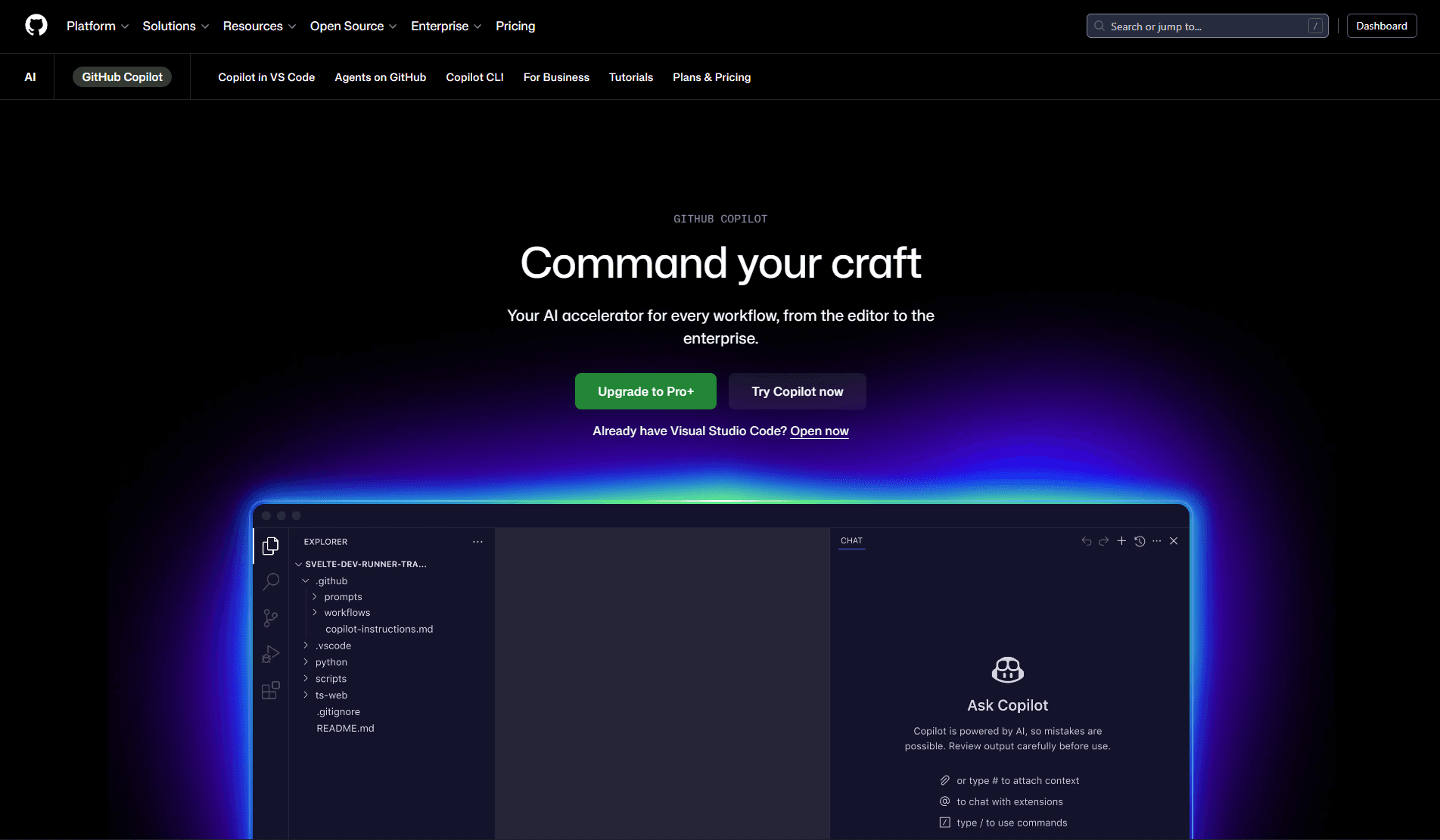
GitHub Copilot is the most widely adopted AI coding assistant, used by over 15 million developers and embedded in 90% of Fortune 100 companies. Its staying power comes less from being the most capable tool in any single dimension and more from being the easiest to adopt without changing how a team already works. If your code is on GitHub and your team is in VS Code, JetBrains, or Visual Studio, Copilot is already one plugin install away from being part of the daily workflow.
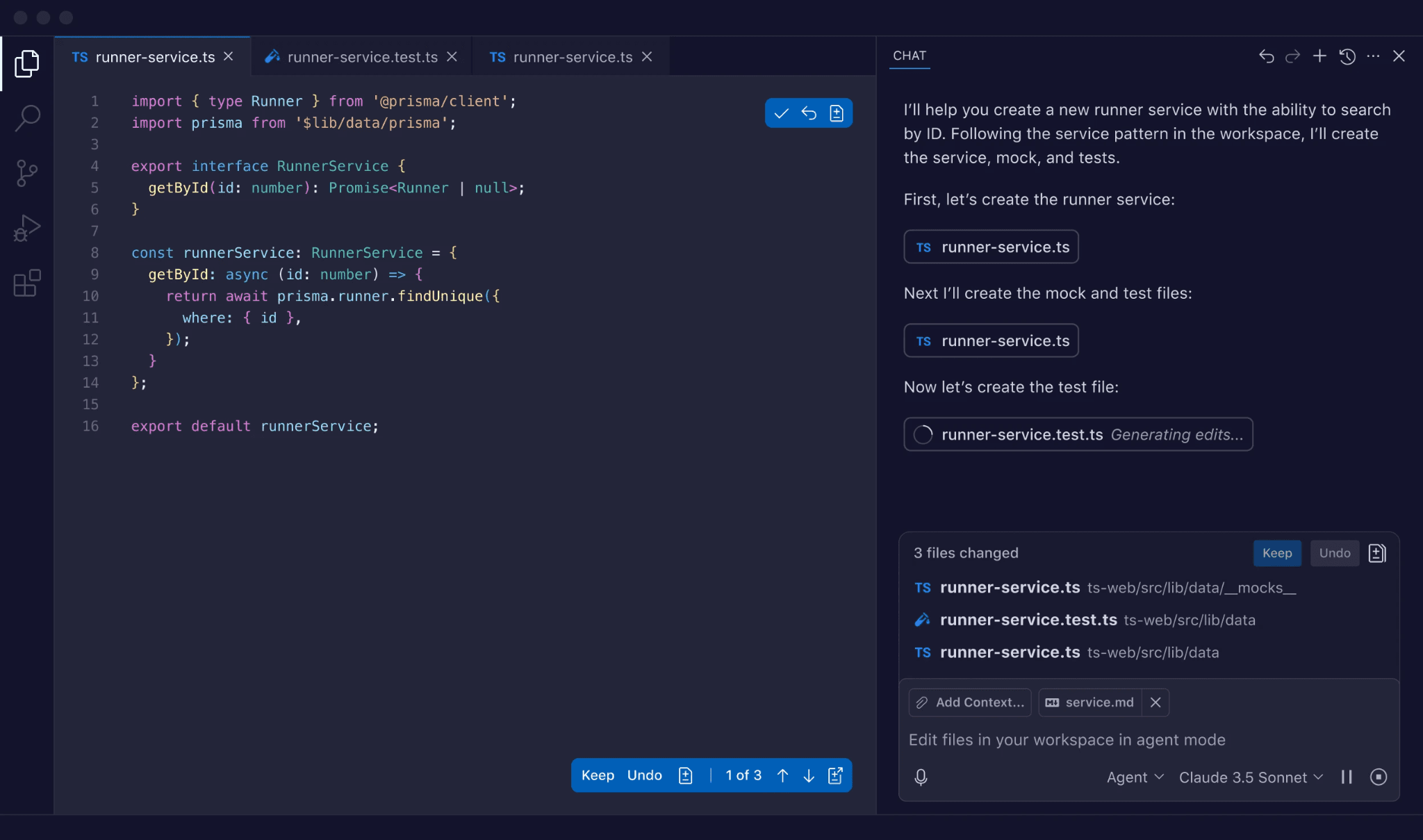
At its core, Copilot watches what you type and suggests completions, entire lines, functions, or blocks, based on surrounding code context. That inline experience is what most developers use it for daily. The Enterprise tier extends significantly beyond that, adding org-wide repo indexing, pull request summaries, and the ability to assign GitHub Issues directly to Copilot, an autonomous coding agent that operates in a sandboxed environment and opens a reviewed pull request when done.
A practical example of where Copilot earns its place: a developer writing a new Express middleware function for JWT validation sees Copilot propose the entire implementation, including the error-handling pattern, header-extraction logic, and 401 response shape, matching the conventions already used across the rest of the codebase. No context switching, no Stack Overflow, no copy-paste from a previous file.
Best for: Teams already operating in the GitHub ecosystem who want AI code generation embedded in their existing workflow with minimal setup, particularly those who need enterprise-grade controls around model access, policy enforcement, and usage analytics.
Key capabilities:
Inline completions across 20+ languages: real-time suggestions in Python, JavaScript, TypeScript, Java, Go, Rust, C++, and more, directly in VS Code, JetBrains, Visual Studio, Vim, and Neovim, adapting to your coding style over time
Copilot Chat: a conversational interface inside the IDE for explaining code, generating tests, debugging errors, and asking architecture questions grounded in your open files and repo context, without switching to an external tool
Autonomous issue-to-PR agent: in the Enterprise tier, GitHub Issues can be assigned directly to Copilot, which plans the work, executes it in a sandboxed GitHub Actions environment, and opens a pull request with a full summary of changes for human review
Pull request integration: Copilot summarizes diffs, drafts PR descriptions, and assists with code review directly inside GitHub, extending AI assistance beyond the editor into the review and merge cycle
Limitations:
The strongest experience assumes code is hosted on GitHub, teams on GitLab, Bitbucket, or self-hosted Git setups, get a noticeably reduced feature set
Suggestion quality varies by language and task complexity. Generated code can be outdated, architecturally mismatched, or subtly insecure, and always requires human review before production
No hardware-level execution isolation or cryptographic attestation, for regulated industries with strict data residency requirements, enterprise policy controls are not equivalent to verifiable security
Pricing: Free tier available (2,000 completions/month). Pro at $10/month. Pro+ at $39/month. Business at $19/user/month. Enterprise at $39/user/month.
3. Claude Code: Deep Reasoning for Complex Codebase Changes
Claude Code is Anthropic's command-line AI coding agent, and it occupies a specific niche in the AI code generation landscape: it's the tool developers reach for when other tools fail. Across developer communities, Claude Code is consistently described as the most capable option for deep reasoning, debugging subtle logic errors, and making architectural changes that require genuinely understanding a codebase rather than pattern-matching against it. It's less about inline speed and more about getting hard problems right.
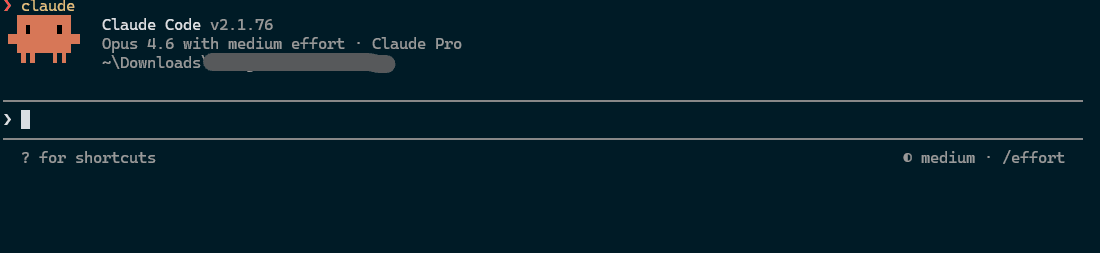
The key technical differentiator is context window size. Claude Code runs on Anthropic's Claude models, which support context windows of 200,000+ tokens, large enough to hold entire multi-file modules, full test suites, and extensive documentation simultaneously. That capacity makes it meaningfully better than most tools on tasks that require understanding how many parts of a codebase relate to each other before touching any of them.
A practical example of where Claude Code earns its place: a developer asks it to trace why a payment webhook is intermittently failing in production. Rather than suggesting a surface-level fix, Claude Code reads the webhook handler, the retry logic, the database transaction boundaries, the test suite, and the relevant Stripe SDK documentation simultaneously, identifies a race condition in the idempotency key handling, and proposes a fix with a regression test, all in a single session without losing track of the broader context.
Best for: Developers tackling complex, logic-heavy tasks, large-scale refactors, subtle bug diagnosis, architecture reviews, and multi-file changes in large monorepos where shallow repo awareness can lead to incorrect or incomplete outputs.
Key capabilities:
200,000+ token context window: large enough to ingest entire modules, dependency trees, and documentation simultaneously, enabling genuinely codebase-aware changes rather than file-scoped suggestions that miss cross-cutting concerns
Agentic plan-then-execute workflow: Claude Code forms an explicit plan before making changes, presents it for approval, then executes, giving developers a clear checkpoint before anything is written or modified, reducing the risk of large-scale changes going in an unexpected direction
CLI-first with full environment access: runs in the terminal with access to shell commands, git, package managers, and test runners, so it can read errors, run tests, iterate on failures, and self-correct within a single session without requiring a separate IDE
TDD and custom workflow support: can be guided to follow test-driven development principles, writing failing tests first and then implementing code to pass them, and supports custom commands for team-specific processes like creating PRs or enforcing style standards
Limitations:
The plan-first, CLI-centric approach is slower for quick line-by-line edits than real-time IDE completions; it's built for depth, not speed
Cost scales with usage. Claude's models are billed per token, so heavy use on large context tasks accumulates quickly compared to flat-fee IDE assistants
No persistent memory across sessions by default, context resets between conversations, so architectural decisions and prior session history need to be re-supplied manually or via context files like CLAUDE.md
Pricing: Usage-based via Anthropic API. Also accessible through Claude.ai Pro at $20/month and Max plans.
4. Gemini Code Assist: Google-Ecosystem AI Coding Assistant with Multimodal Capabilities
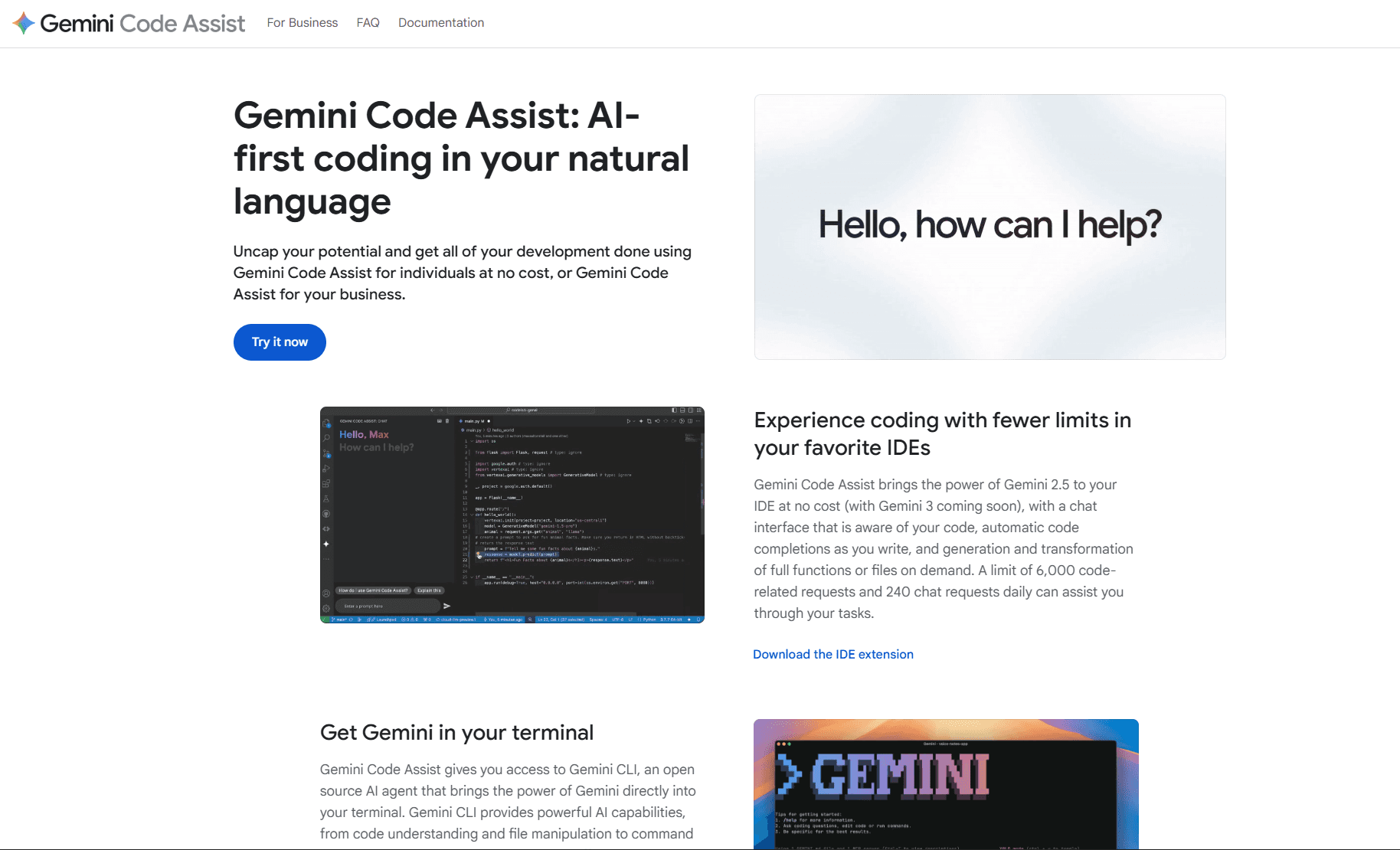
Gemini Code Assist is Google's AI coding assistant built on the Gemini 2.5 model family. Its positioning is deliberate: it's the natural choice for teams already invested in the Google Cloud ecosystem, Firebase, BigQuery, Vertex AI, Android Studio, where the assistant's deep integration with those services translates into contextually accurate suggestions that generic tools can't match. Outside of that ecosystem, it competes on a generous free tier and strong multimodal capabilities that most coding assistants don't offer.
The multimodal capability is a genuine differentiator. Where most coding assistants work exclusively from text and code context, Gemini Code Assist can process images alongside code, meaning a developer can paste a screenshot of a UI mockup, an architecture diagram, or an error trace and ask the assistant to generate code directly from it. For teams that work at the intersection of design and development, or that frequently deal with visual debugging, that changes the workflow meaningfully.
A practical example of where Gemini Code Assist earns its place: a developer building a Firebase-backed Android application gets suggestions that understand Firestore's security rules model, Cloud Functions invocation patterns, and the Android SDK conventions simultaneously, rather than generic suggestions that need to be adapted to Google's specific implementation details afterward.
Best for: Development teams working primarily in the Google Cloud ecosystem, Firebase, BigQuery, GCP, Android, who want AI coding assistance with deep integration into those services, and individual developers looking for a capable free tier without usage caps.
Key capabilities:
Deep Google Cloud integration: contextually aware suggestions for Firebase, BigQuery, Cloud Run, Apigee, and Android development, going beyond generic code generation to understand Google-specific APIs, SDK patterns, and infrastructure conventions
Multimodal input: accepts images alongside code prompts, enabling developers to generate code from UI mockups, architecture diagrams, or screenshots of errors, a capability that meaningfully extends what natural language prompting alone can accomplish
Private codebase indexing in Enterprise tier: the Enterprise edition indexes your organization's private repositories, so suggestions are grounded in your actual patterns, naming conventions, and internal libraries rather than just public code
Agentic chat with external tool integration: the agentic mode can coordinate with Git, test runners, and deployment services to execute multi-step tasks like creating a branch, implementing a feature, running tests, and opening a pull request from a single instruction
Limitations:
Outside the Google Cloud and Android ecosystem, the depth of integration advantage disappears; teams on AWS, Azure, or non-Google stacks get a capable but undifferentiated experience compared to other tools on this list
Private codebase indexing and the highest usage quotas require the Enterprise tier at $45/user/month, which is the most expensive individual-tool pricing on this list
No hardware-level execution isolation or cryptographic attestation, like most tools here, code and prompts are processed on Google's infrastructure, with no verifiable proof of execution
Pricing: Free tier available (180,000 code completions/month, no credit card required). Standard at $19/user/month. Enterprise at $45/user/month.
5. Amazon Q Developer: AWS-Native Secure Coding Assistant for Cloud Infrastructure Teams
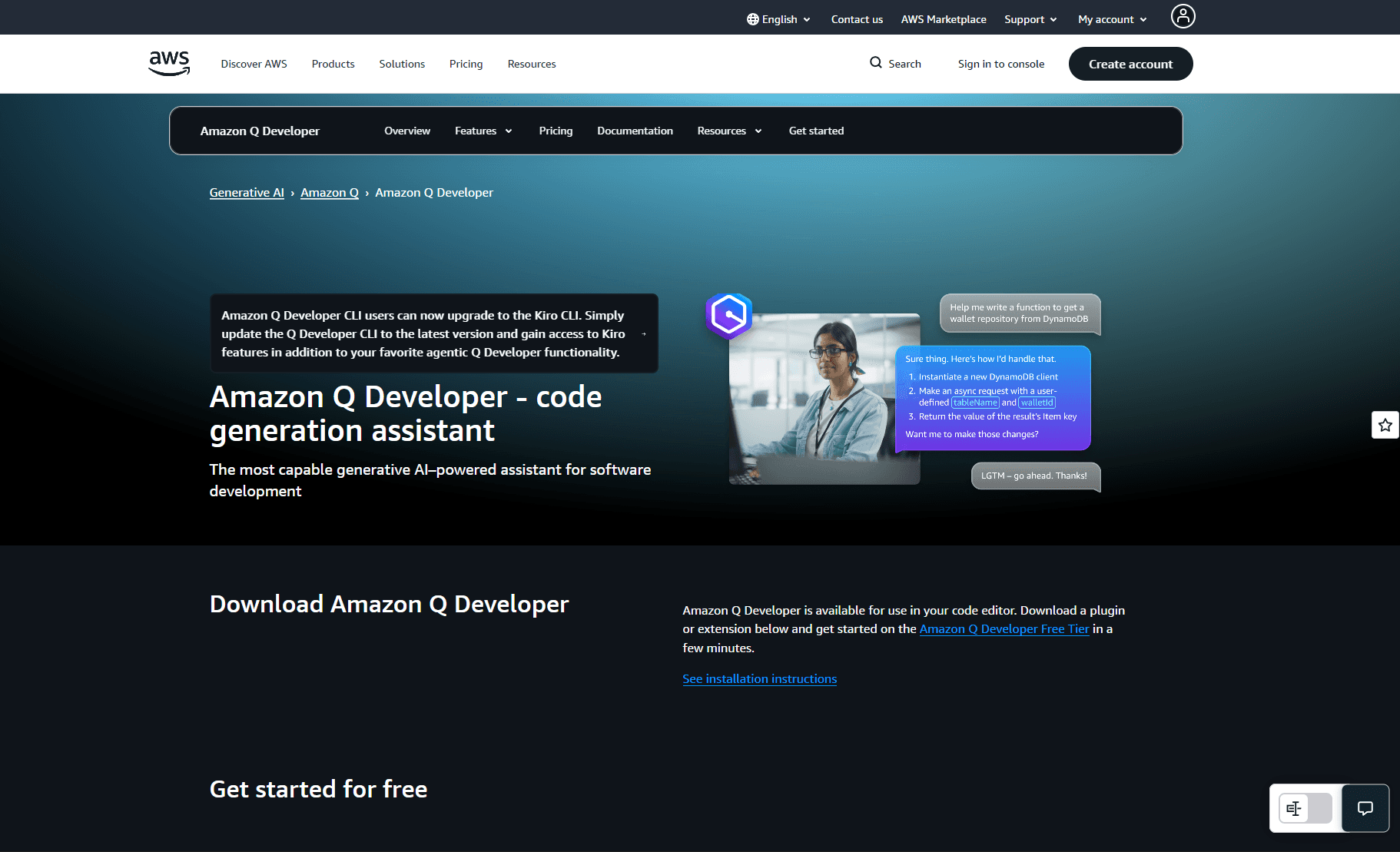
Amazon Q Developer is AWS's AI coding assistant, and its positioning is narrower and more deliberate than the other tools on this list. It's not trying to be the best general-purpose code generator; it's trying to be the best coding assistant for teams building on AWS infrastructure. For those teams that focus pays off in ways that matter: suggestions that understand Lambda execution contexts, IAM policy constraints, DynamoDB access patterns, and the security expectations that come with building on a regulated cloud platform.
The security scanning capability is what separates Amazon Q Developer from most tools in this category. Rather than treating vulnerability detection as a post-generation step, Amazon Q Developer runs real-time security scanning as part of the suggestion loop, continuously analyzing generated and existing code for OWASP Top 10 vulnerabilities and Common Weakness Enumeration patterns as you write. For a fintech team building payment processing logic on AWS Lambda, that means SQL injection risks, missing input validation, and insecure IAM permissions are flagged during authoring rather than surfacing in a security review three sprints later.
A practical example of where Amazon Q Developer earns its place: a developer writing an AWS Lambda function to process Stripe webhooks gets suggestions that automatically include the correct IAM role scoping, the right DynamoDB conditional write pattern for idempotency, and the appropriate error response structure for API Gateway, all grounded in AWS best practices rather than generic patterns that need AWS-specific adaptation afterward.
Best for: Development teams whose infrastructure lives primarily on AWS, particularly those in regulated industries like financial services, healthcare, or government, where security scanning, compliance alignment, and AWS-native code patterns are daily requirements rather than occasional concerns.
Key capabilities:
AWS-native code intelligence: suggestions optimized for Lambda, ECS, DynamoDB, S3, IAM, and other AWS services, generating contextually accurate code that reflects AWS best practices and SDK conventions rather than generic cloud patterns
Real-time vulnerability scanning: continuously analyzes generated and existing code for OWASP Top 10 and CWE patterns during authoring, flagging issues before they reach review or deployment, rather than catching them after the fact
Private repo customization: the Enterprise tier trains on your organization's private repositories, so suggestions reflect your internal architecture patterns, naming conventions, and team-specific AWS configurations rather than just public AWS examples
License and reference tracking: identifies when suggestions resemble open-source code and surfaces attribution and license information, reducing IP and compliance risk for enterprise teams shipping to regulated environments
Limitations:
Outside AWS-heavy stacks, suggestion quality and relevance drop noticeably; it's genuinely optimized for the AWS ecosystem and noticeably less useful for teams on GCP, Azure, or multi-cloud setups
Private repo training requires uploading code to AWS infrastructure for indexing, which introduces its own data handling considerations that security teams in sensitive industries will need to evaluate
No hardware-level execution isolation or cryptographic attestation, like most tools on this list, code and prompts are processed on shared infrastructure with no verifiable proof of execution
Pricing: Free tier available. Professional at $19/user/month. Enterprise pricing on request.
How to Choose the Right AI Code Generator for Your Team
Choosing an AI code generator comes down to three factors: your security requirements, your team's primary stack and workflow, and the compliance overhead your organization operates under. No single tool wins across all three, and most mature engineering teams end up using more than one.
Feature | ORGN | Copilot | Claude Code | Gemini | Amazon Q |
TEE/Hardware Isolation | Yes | No | No | No | No |
Cryptographic Attestation | OLLM models only | No | No | No | No |
Inline Completions | No | Yes | No | Yes | Yes |
Agentic Workflows | Yes | Enterprise only | Yes | Yes | Yes |
Persistent Project Memory | Yes | No | No | No | No |
IDE Plugin | No | Yes | Yes (CLI) | Yes | Yes |
Pricing model | Credits from $20 | Free tier + paid plans | Usage-based | Free tier + paid plans | Free tier + paid plans |
Start with your security constraint. For privacy-conscious developers and teams in regulated industries, fintech, healthcare, defense, or any sector with data residency requirements, the first question isn't which tool is fastest. It's the tool your security team can actually approve. Most AI code generators process code on shared third-party infrastructure with no hardware-level isolation and no verifiable proof of execution. For teams where that's a non-starter, ORGN is the only option on this list built around that constraint from the ground up, with TEE-backed execution via Intel TDX, cryptographic attestation for OLLM-routed confidential inference, and user-controlled data persistence where nothing is retained unless the user chooses it.
Match the tool to your stack. For teams deeply embedded in the GitHub ecosystem who want AI assistance woven into their existing pull request and review workflows with minimal disruption, Copilot is the lowest-friction starting point, one plugin install from being useful. For teams building primarily on AWS infrastructure, Amazon Q Developer's native AWS intelligence and real-time vulnerability scanning make it a natural fit, particularly when IAM policies, Lambda patterns, and DynamoDB conventions are daily concerns. For teams in the Google Cloud and Android ecosystem, Gemini Code Assist's deep GCP integration and generous free tier make it the obvious starting point.
Match the tool to the task type. Copilot, Gemini Code Assist, and Amazon Q Developer all excel at inline completions and everyday coding acceleration, the kind of work that fills most engineering days. Claude Code is a different tool for a different job: it's the escalation path for the hardest problems, subtle production bugs, large-scale architectural refactors, and complex multi-file changes, where shallow repo awareness can produce wrong answers. Most teams that use Claude Code don't use it as their primary tool; they reach for it when other tools have failed or when the task genuinely requires deep reasoning across a large codebase.
Factor in team size and coordination overhead. Individual developers and small teams can absorb more tool-switching and context re-explanation than larger organizations can. At enterprise scale, dozens of teams, hundreds of repos, shared codebases with strict consistency requirements, the cost of fragmentation compounds quickly. The more developers involved, the more valuable a governed platform with structured workflows, persistent memory, and auditable trails becomes over a collection of fast but disconnected point tools.
A practical starting framework:
Privacy-conscious developers and regulated enterprise teams → ORGN for verifiable security, structured agentic workflows, and compliance-grade audit trails
GitHub-native teams wanting minimal setup → Copilot as the everyday baseline
AWS-heavy infrastructure teams → Amazon Q Developer for security-aware, AWS-native generation
Google Cloud and Android teams → Gemini Code Assist for deep GCP integration and a strong free tier
Complex refactors and hard debugging tasks → Claude Code as the escalation path regardless of primary tool
The most important step is to start with a well-scoped pilot, test generation, refactoring tasks, or low-risk feature work, keep humans in the review loop, and build trust in the tooling incrementally before expanding to production-critical workflows.
Conclusion: AI Code Generation Is Only as Good as the Environment Around It
AI code generators have moved well past being a curiosity. The tools available today, from inline assistants that accelerate daily coding to agentic platforms that run governed, sandboxed workflows across enterprise codebases, deliver measurable productivity gains when used well. But the teams that capture lasting value from these tools aren't just the ones with the fastest suggestions. They're the ones that built the right structure around them: human review gates, security scanning, repeatable patterns, and an audit trail that holds up under scrutiny.
For teams where the constraints are loose, small teams, greenfield projects, AWS or Google Cloud-native stacks, Copilot, Claude Code, Gemini Code Assist, and Amazon Q Developer each cover the ground well, depending on the workflow. For teams where the code is sensitive, the audit trail is non-negotiable, and processing proprietary code on shared third-party infrastructure with no proof of execution isn't an option, a different class of environment is needed. ORGN is built for exactly that: a development environment where every AI action is traceable, code never leaves a hardware-isolated enclave without the user's choice, and compliance teams get cryptographic evidence rather than policy promises. Whether you're an individual developer who won't accept proprietary code being processed on shared infrastructure, or an enterprise team that needs cryptographic proof for auditors, get started at orgn.com.
FAQ
What is the difference between an AI code generator and an agentic development environment?
An AI code generator, such as GitHub Copilot or Gemini Code Assist, accelerates individual developers' tasks through inline completions, comment-to-code generation, and conversational assistance within an IDE.
An agentic development environment goes further: it plans and executes multi-step workflows autonomously across multiple files, runs tests in isolated sandboxes, and produces auditable records of every action taken. The practical difference is scope; code generators speed up how fast a developer writes code, while agentic environments change what the environment itself is responsible for executing and verifying.
How do AI code generators introduce security vulnerabilities, and how can teams mitigate them?
AI code generators optimize for plausible-looking output rather than secure output, which means they can introduce SQL injection risks, missing input validation, hardcoded credentials, and insecure default configurations without flagging any uncertainty. A particularly dangerous failure mode is dependency hallucination, in which nonexistent packages are suggested, which attackers exploit by registering malicious packages under those exact names on npm or PyPI. Mitigation requires treating every AI-generated output as unreviewed code: mandatory static analysis, dependency scanning for every generated change, and human-review gates before anything reaches production.
What is OLLM, and how does it execute AI code generation requests to confidential compute environments?
OLLM is ORGN's proprietary unified AI gateway that sits between the development environment and the underlying models. On a per-request basis, it executes in standard LLMs for everyday work or in models running inside Trusted Execution Environments when confidentiality is required. When a TEE-enabled model is selected, the entire inference pipeline, input, model execution, and output, runs inside a hardware-attested environment backed by Intel TDX, producing cryptographic attestation records that link each response back to the verified execution context that produced it.
How does ORGN handle data persistence, and what does that mean for developers and regulated teams?
ORGN gives users control over their data lifecycle; nothing is persisted unless the user chooses it. Worktree data follows a defined lifecycle before teardown, and users can trigger immediate teardown at any time by archiving and deleting their worktree. Throughout that lifecycle, all data sits inside a TDX-encrypted sandbox, meaning even retained data is encrypted at the hardware level and inaccessible to anyone other than the user. For teams using OLLM confidential models specifically, the guarantee goes further: no prompts, code, or outputs are stored or used to train AI models at any point, except for operational metadata such as token counts needed for billing. For individual developers, this means your work stays yours. For compliance teams, it means the attack surface is structurally limited rather than dependent on policy promises.
When should an engineering team move from an IDE coding assistant to a governed agentic platform?
Three signals consistently indicate that a team has outgrown IDE assistants.
First, compliance requirements, if external auditors need proof of how code was produced, in what environment, and by whom, most IDE assistants produce no verifiable record of this.
Second, multi-repo coordination, when AI changes need to respect service boundaries, deployment rules, and security policies across dozens of repositories simultaneously, point tools lack the governance layer to enforce consistency.
Third, scale, when AI-generated changes span multiple teams working on shared codebases, the absence of structured workflows, sandboxed execution, and organization-wide audit trails creates a compliance surface area that security teams can't reliably close.